Live Chat Software for Business
Task Management Software
Software for managing team projects, tasks, time, workflow and efficiency
 
Home
 
Products
 
Solutions
 
Download
 
Purchase
 
Support
 
Contact Us
 
My Account


Setting Task Groups 
Setting Roles 
Setting Resources 
Setting Workflow 
Setting Tasks 
Planning Tasks 
Planning Resources 
Planning Time
Sending Notifications 
Making Comments 
To Do List Management 
Project Management 
Schedule Management 
Applying Filters 
Watch List 
History 
Customizing Views 
Exporting & Printing 
<< username >>
<< password >>
Remember me on this computer
  Forgot your password?
  Register

Home  » Products  » VIP Task Manager Pro  » Tutorials  » StartUp Guide  » Planning Time

Planning Time

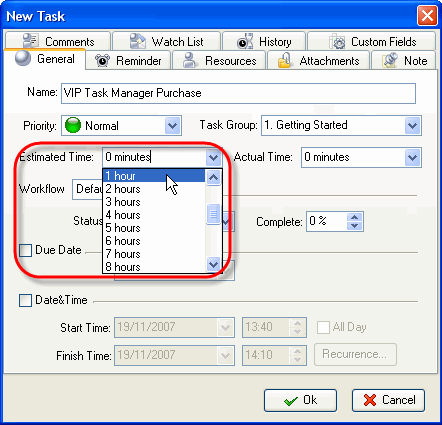
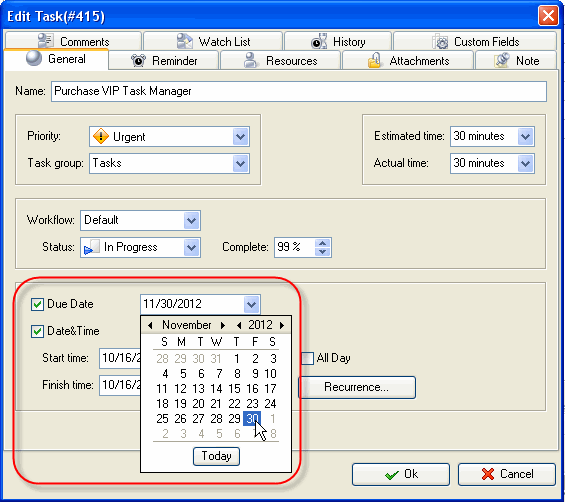
While scheduling a Task you can estimate the time this Task can take and make a more realistic timetable. If the task should be done by a certain deadline you can set its Due Date.
_img61

Select Estimated Time from drop-down menu
_img60

Check Due Date and select a calendar date

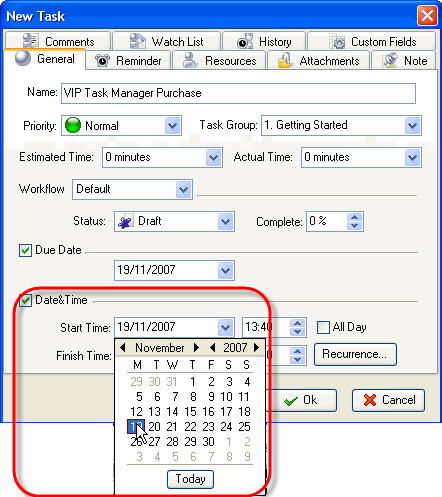
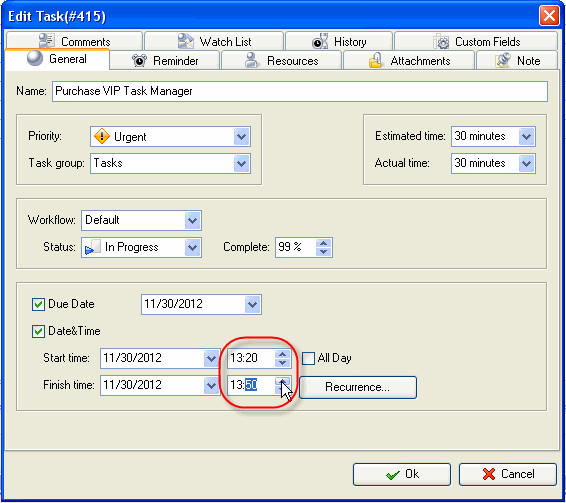
If a Task should begin at a certain time and finish at a certain time you can set Start and Finish Date and Time.
_img63

Check Date&Time and Select Start Date and Time
_img62

Select a Finish Date and Time

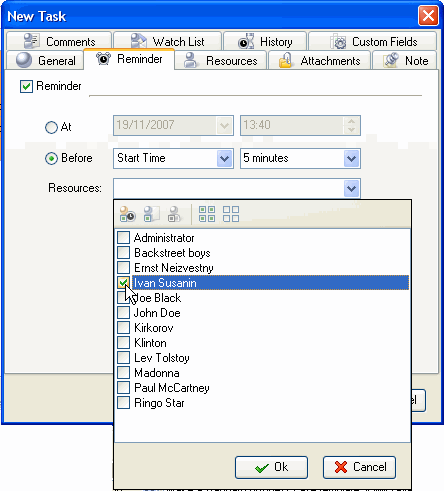
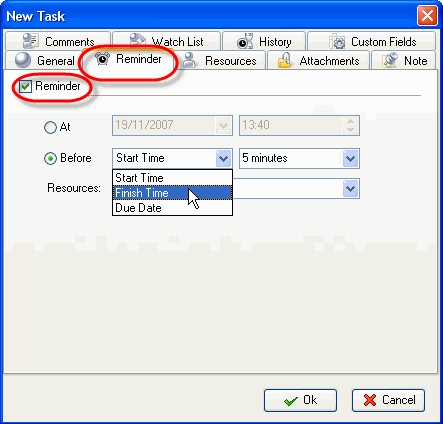
If you want to remind yourself or your team member of a Task, you can define the exact time of pop-up or the time period before Start, Finish or Due Date and then select the Resource(s) to be reminded of the Task.
_img65

Select Reminder tab and set Reminder 

_img64

Check Resources to be reminded of the Task


  Buy Play Demo

Try Try It FREE
Overview VIP Task Manager


Resource notifications
 
 
  Home Products Solutions Download Purchase Support Contact Us My Account 
Français   Deutsch   Articles   Search   Site Map
Copyright © 2005 - 2008 VIP Quality Software, Ltd. All Rights Reserved.