|
To set task reminder use following steps:
- Open "New Task" or "Edit Task" dialog
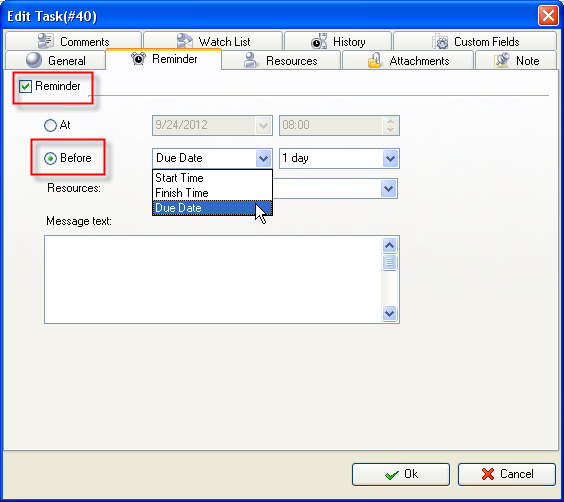
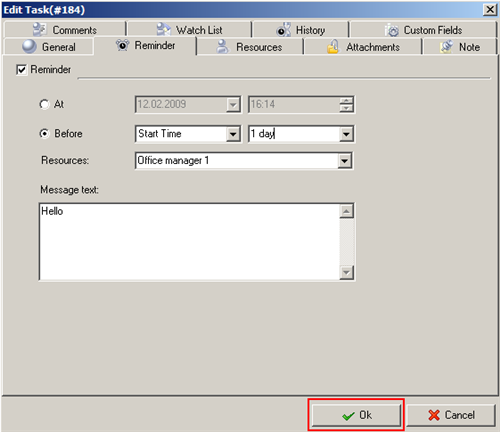
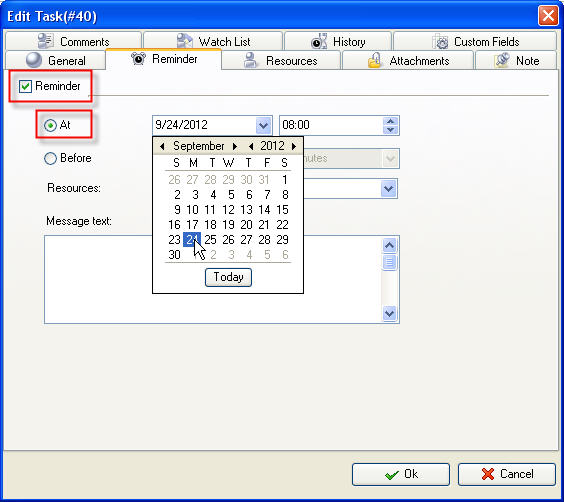
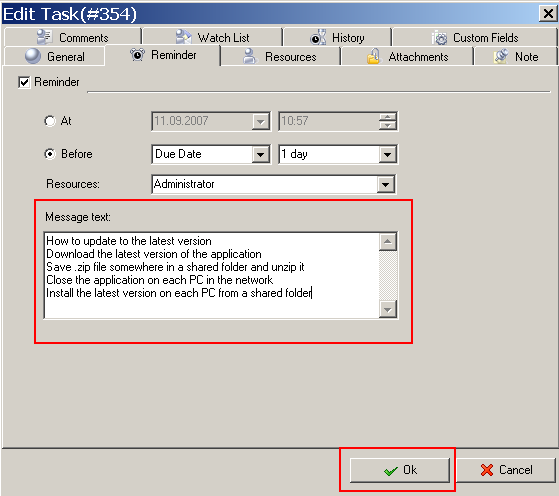
- Select "Reminder" tab and check "Reminder" option
-
If you want to be reminded at exact date and time check "At" radio-button, enter required date and time using drop-down box and up-down buttons or keyboard correspondingly
-
If you want to be reminded before exact date and time check "Before" radio-button, select "Start Time", "Finish Time" or "Due Date" from drop-down list and select interval you want to be reminded before from corresponding drop-down list
- Select resources to be reminded about this task from "Resources" drop-down box.
To quickly select owner resource click  button, to quickly select resources this task is assigned to click button, to quickly select resources this task is assigned to click  button, to quickly select all resources click button, to quickly select all resources click  button, to clear all fields of resource list click button, to clear all fields of resource list click  button. button.
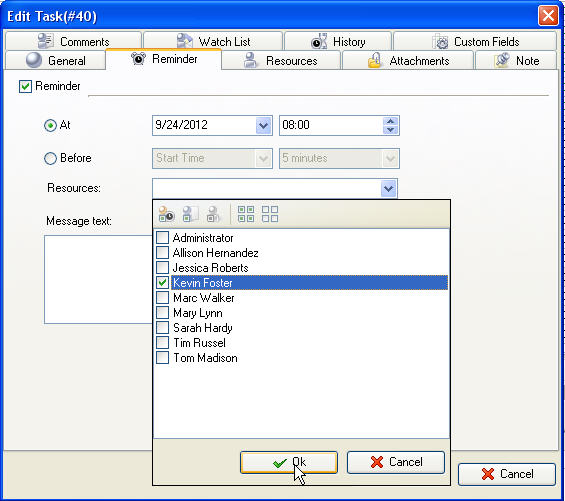
To cancel task reminder uncheck "Reminder" option.
Task reminders in VIP Task Manager can pop-up with sound signals and can be sent by e-mail to each person registered in Resource List
If you want to send task reminders by e-mail use following steps:
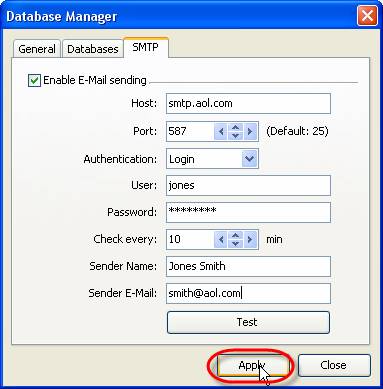
- Make sure that you have SMTP set up:
Go to Start -> All Programs -> VIP Quality Software -> VIP Task Manager Professional -> Database Manager and Select ‘SMTP’ tab in Database Manager’ window
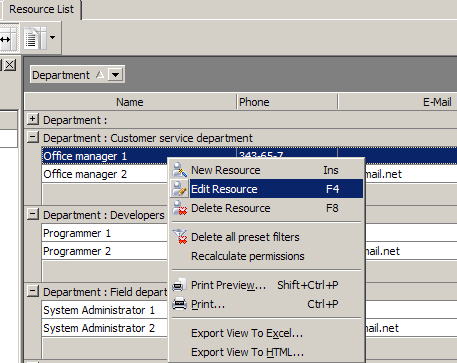
- Go to Resource List of VIP Task Manager and select resource that should receive reminder by e-mail, enter “Edit Resource” dialog
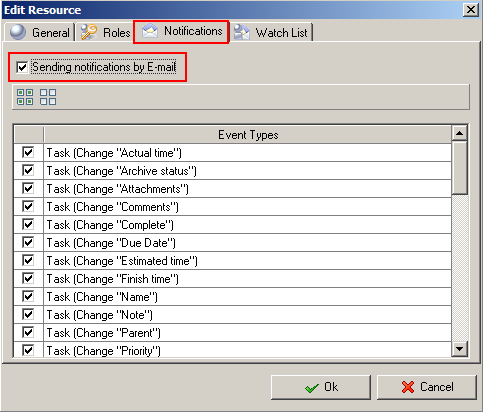
- Select ‘Notifications’ tab within dialog and make sure that option “Sending notifications by E-mail” is checked
- Go to “Reminder” tab of required task and set up reminder, select resources that should get reminder, click “Ok”. Now reminder will both pop-up in-system and be send by e-mail
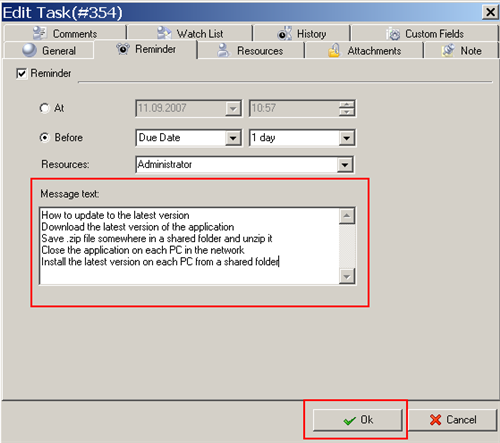
You can add a text message to Reminder. This feature allows you to add text message to task Reminder, so when Reminder will work you will see also additional notes about task.
To add a text message to Reminder use following steps:
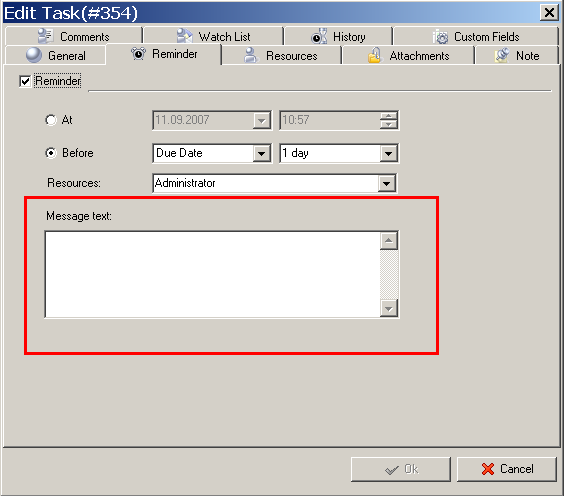
- Open Reminder section of the task, set up reminder and find “Message text” box
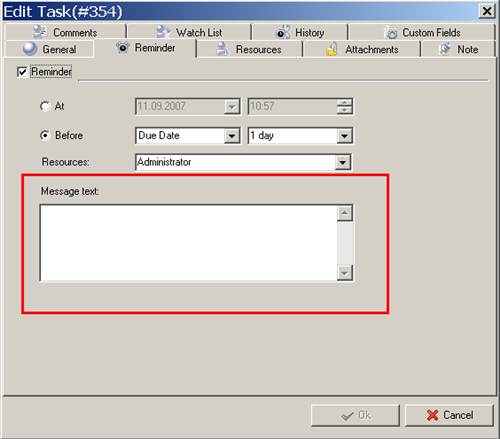
- Fill box with message that you would like to receive with reminder and apply it with clicking “Ok”
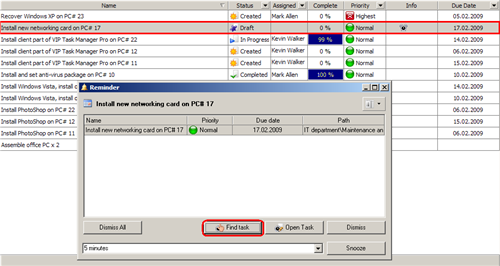
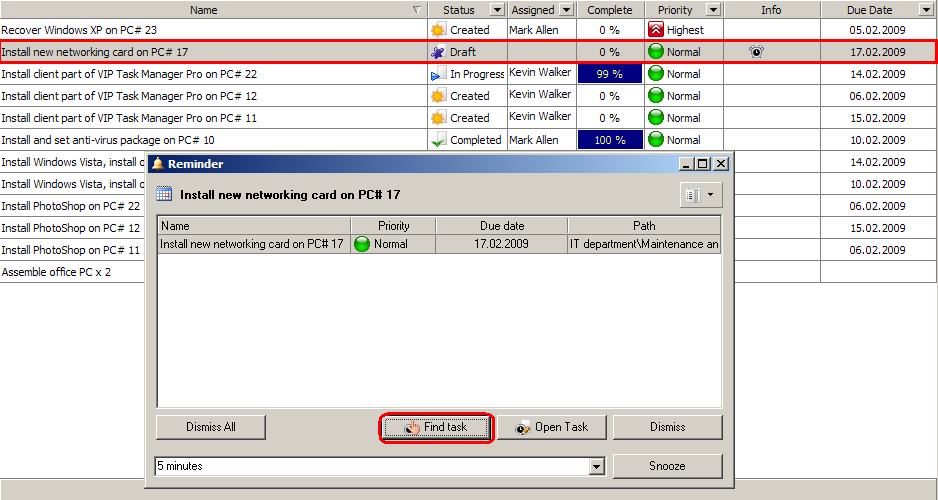
You can find a task from Reminder window. When you get Reminder pop-up window you can use it to highlight task on Task List or Task Tree. Use button “Find task” within reminder window and software will highlight task with grey color
|












 Play Demo
 Try It FREE