Task management software for group collaboration
 
HomeDownloadSupportPurchase
 
SupportFAQForumHelpdeskCompanyContact Us

How to drag and drop email messages from MS Outlook into VIP Task Manager?

How to drag and drop email messages from MS Outlook into VIP Task Manager?
   
Home  » Support  » Frequently Asked Questions (FAQ)  » How to drag and drop email messages from MS Outlook into VIP Task Manager?

How to drag and drop email messages from MS Outlook into VIP Task Manager?

If you use email messages generated via MS Outlook as initial documents that need to go with tasks in VIP Task Manager you can drag and drop email messages from MS Outlook to VIP Task Manager.

To do it, please, follow the steps below:

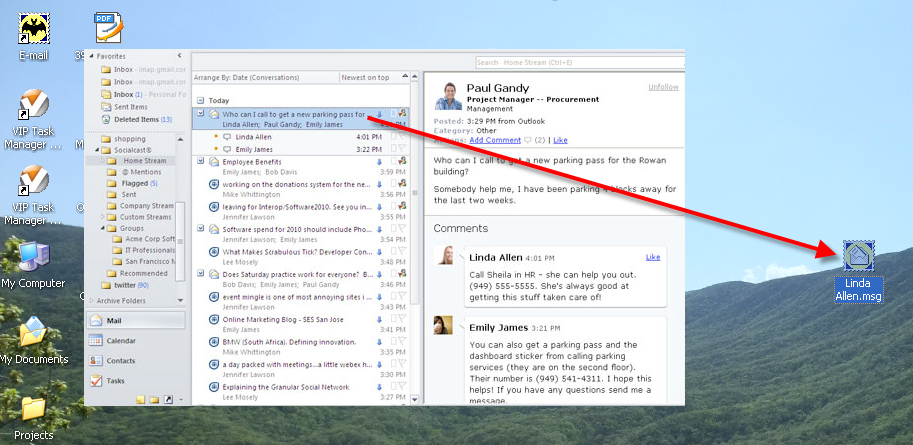
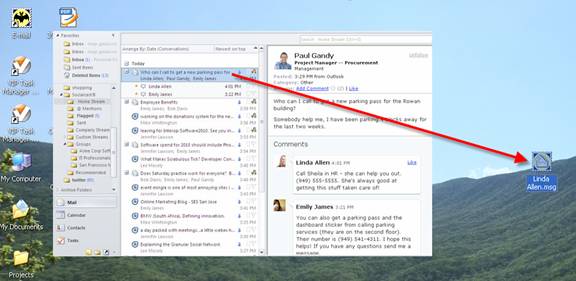
1. Drag and drop email message from MS Outlook to your Desktop
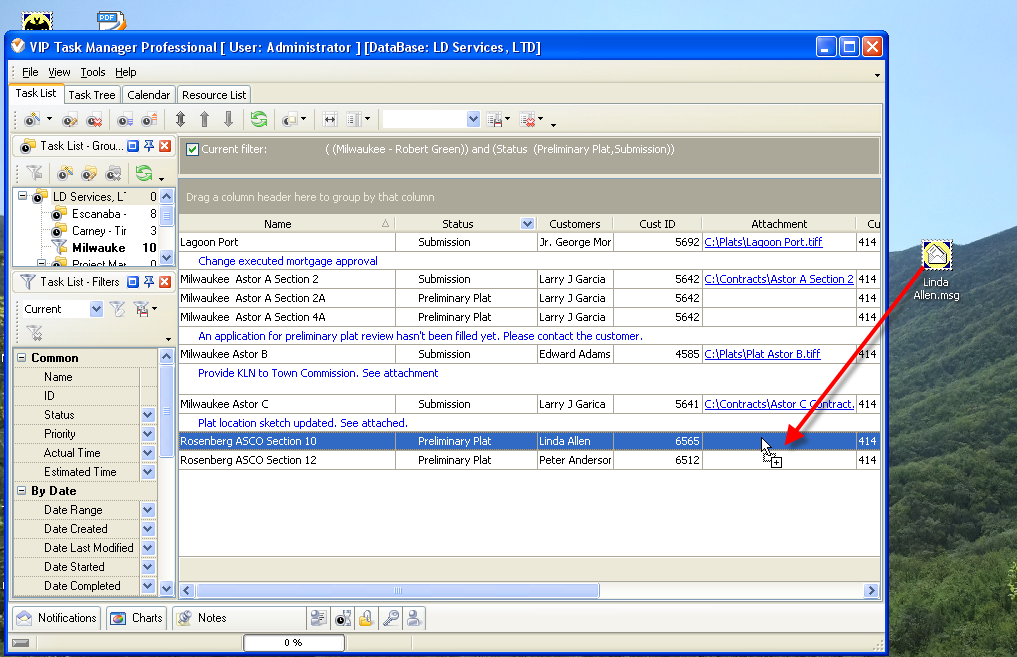
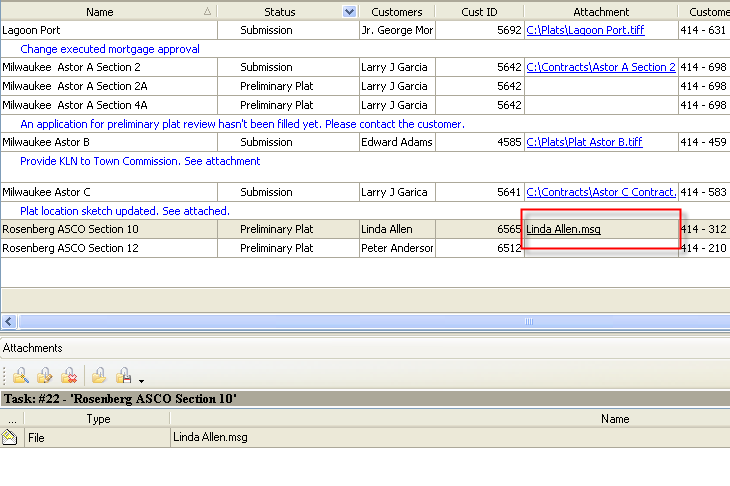
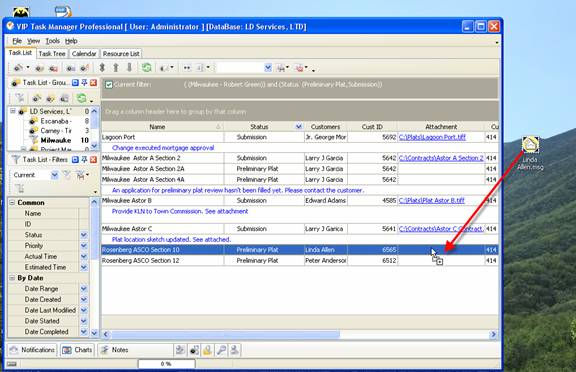
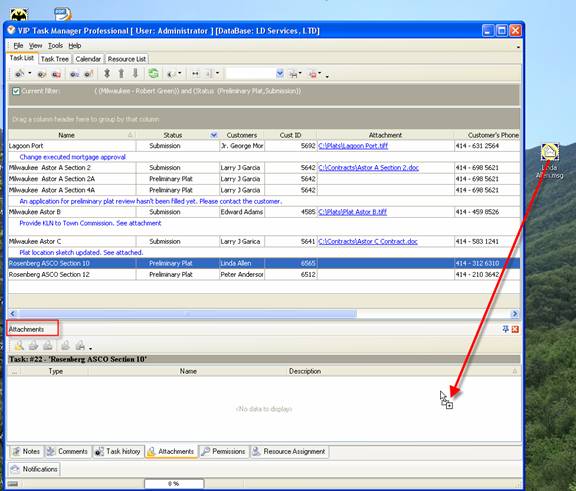
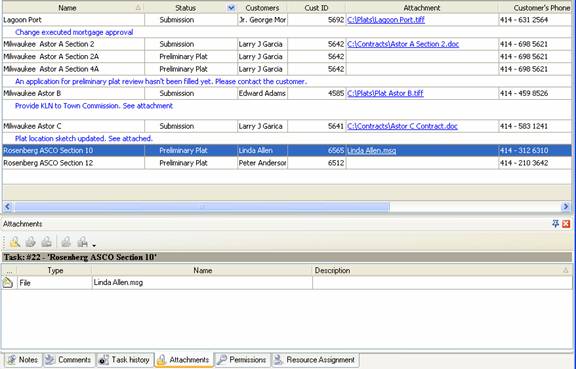
2. Drag and drop email message file from Desktop to task "Attachment" on your to do list in VIP Task Manager
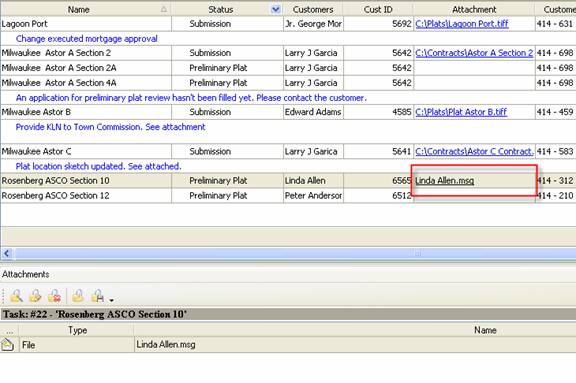
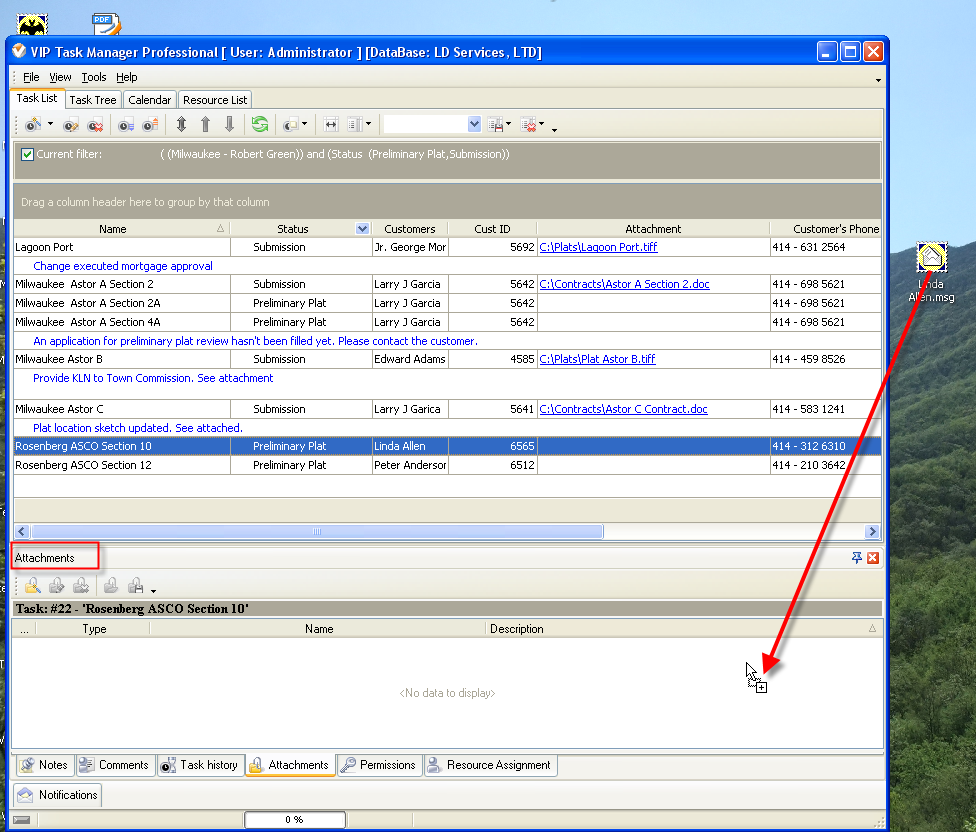
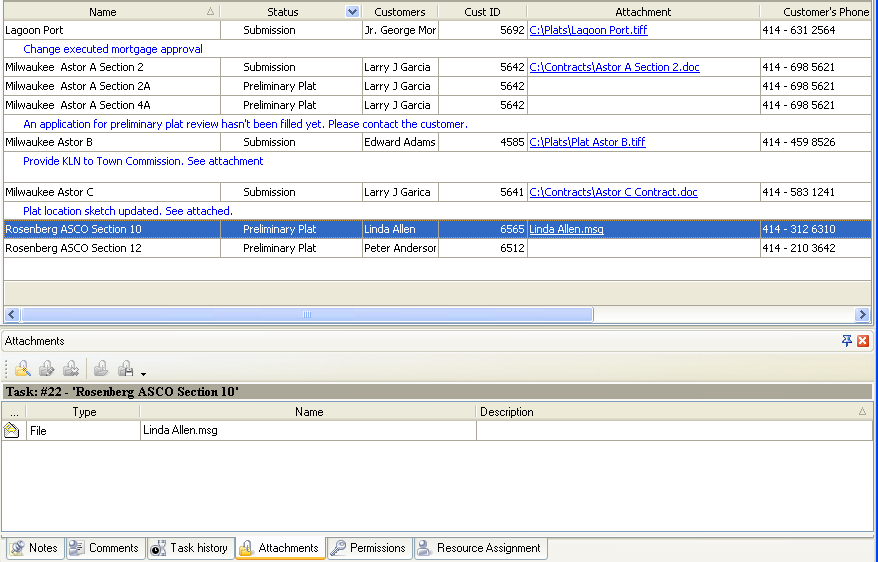
Or alternatively you can drag and drop email message file from Desktop to “Attachments” panel of VIP Task Manager

Available: Workdays, Monday - Friday
8 am - 8 pm GMT for Europe/Asia
1 am - 1 pm PST for America


Skype

My status

Available: Workdays, Monday - Friday
8 am - 8 pm GMT for Europe/Asia
1 am - 1 pm PST for America


May 7, 2012 New business management software release.

We are glad to introduce our new product that lets centralize your company’s business functions into all-in-one solution customized for your specific requirements and industry-related needs. Learn more

More News


Login:
Password:
Register
Forgot your password?
Login As:
Login As
You can log in if you are registered at one of these services:

ProductsSolutionsDownloadSupportPurchaseContactsForumVideoMy Account
Copyright © 2004 - 2012 Task Management Software


Site Map