|
How to optimize the database performance?
To optimize the database performance we would recommend you to:
I. Set filters to display not more than 100 tasks on the screen at a time
II. Move completed tasks to archive
I. Here are some examples of using filters to optimize the database performance:
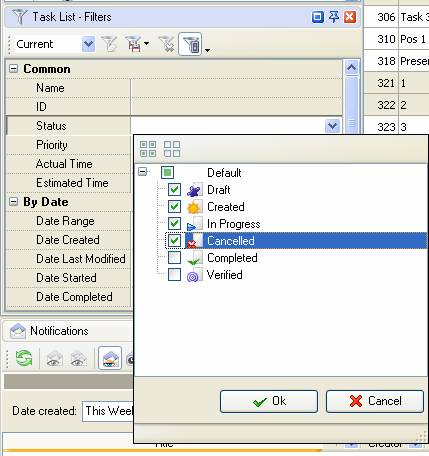
- To display only uncompleted tasks, on panel “Task List – Filters” or “Task Tree – Filters” in section “Common” check all statuses except “Completed” and “Verified”
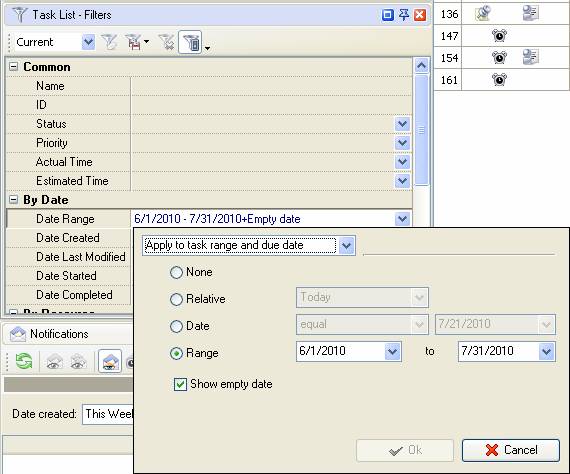
- To show tasks for a certain period, on panel “Task List – Filters” in filed “By Date” select date range for tasks you would like to display, for example from 06/1/2010 to 06/30/2010
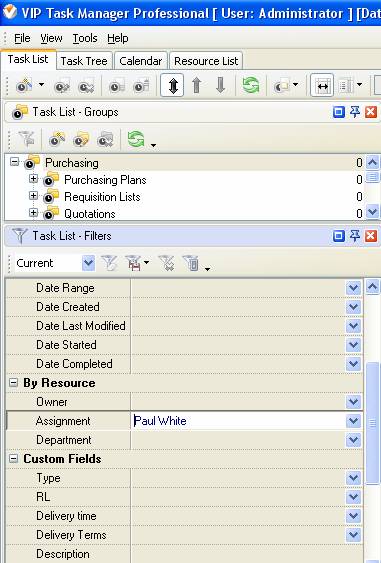
- To show tasks assigned to certain resource , check resource name in “Assignment” field on panel “Task List – Filters” or “Task Tree – Filters” in section “By Resource”
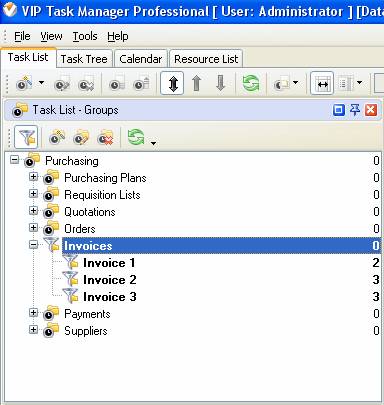
- To show tasks that belong to certain task group, double click required task group on “Task List-Groups” panel.
II. There are two ways to move tasks to archive:
- To move certain tasks with status “Completed” or “Verified” to archive, select task, right click it and select the option “Move to archive”
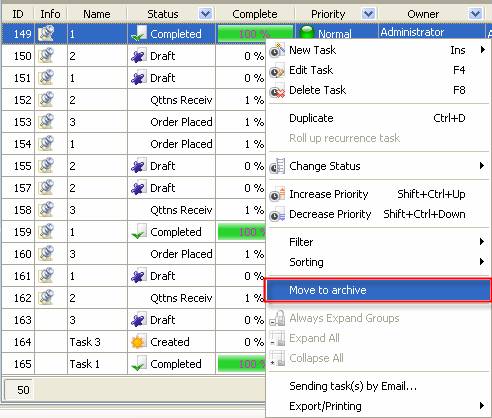
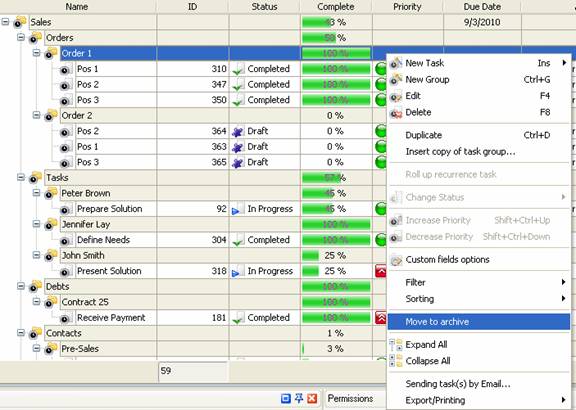
- To move task group along with completed tasks to archive, go to Task Tree view or “Task List-Groups” on Task List view, select task group, right click and select the option “Move to archive”.


|
 |
Skype

Available: Workdays, Monday - Friday
8 am - 8 pm GMT for Europe/Asia
1 am - 1 pm PST for America
|
|
 |
| |
Feb 1, 2016
TopTenReview: VIP Organizer is one of the best organizer software
TopTenReview has published Organizer Software Review 2016 and our product has been included to the list of the best software programs for personal information management. The author considers VIP Organizer to be a good choice if you are looking for something simple to help you organize your days.
More News
|
|
| |
|













 Try Travel Bundle FREE


