|
How to group tasks by ranges of completion
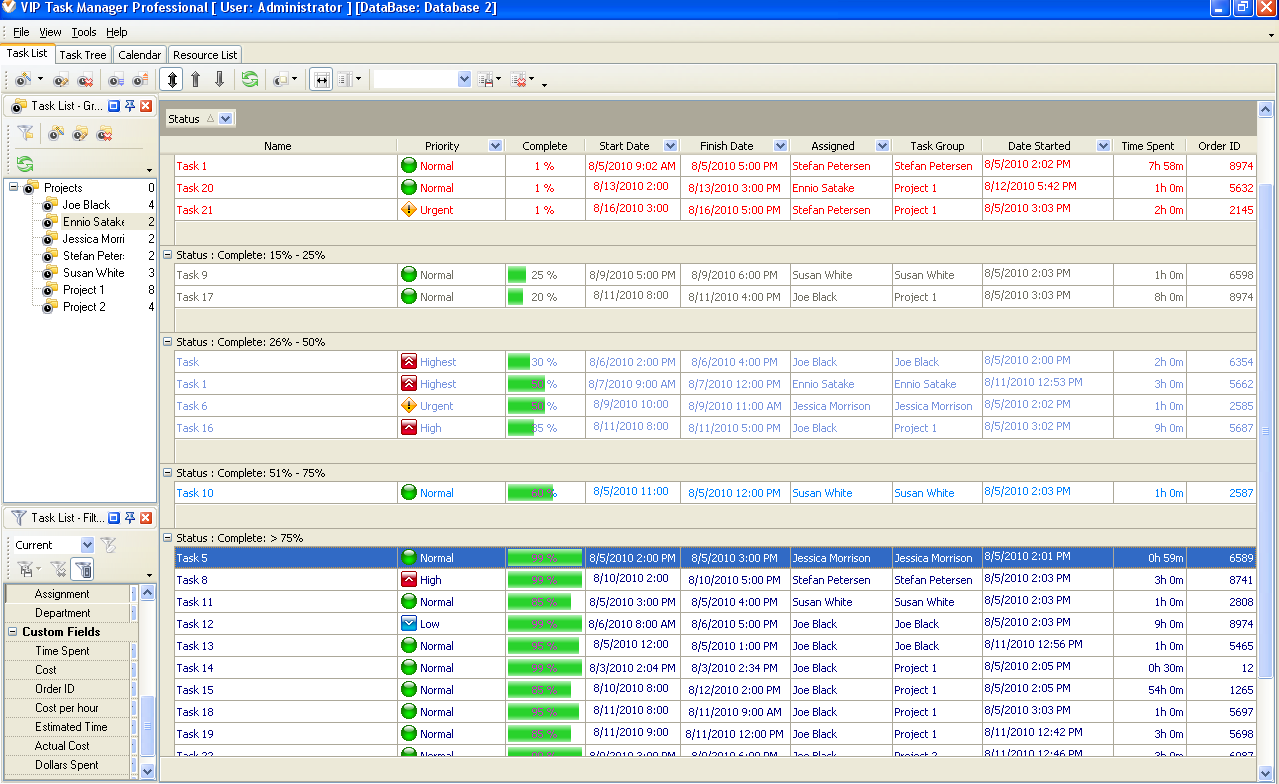
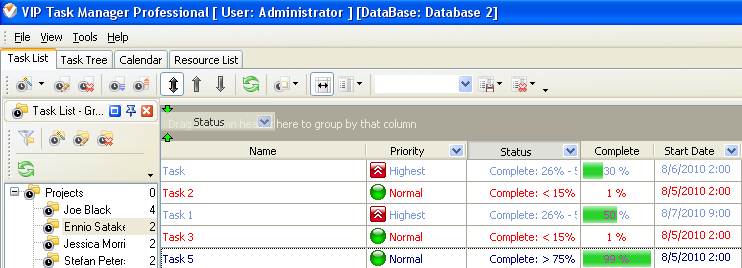
You can group tasks by ranges of completion to customize the look of your report like it is shown on the screenshot below:
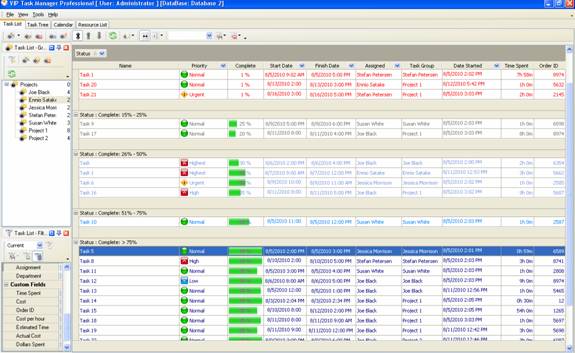
As you can see it is possible to group tasks by ranges of completion using statuses.
To group tasks by ranges of completion please follow the steps below:
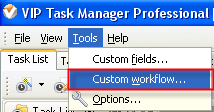
- Go to Tools/Custom Workflow and press click Ins button
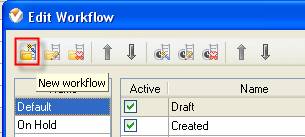
- In Name section click “New workflow” button
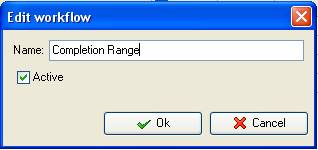
- Enter the name for new workflow, for example Completion Range and click “Ok” button
- In Edit Workflow window press “Ins” button and in “Name” field enter the name of new status, for example
Complete: < 15%
Complete: 15% - 25%
Complete: 26% - 50%
Complete: 51% - 75%
Complete: > 75%
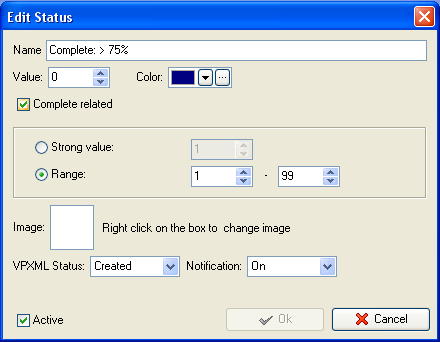
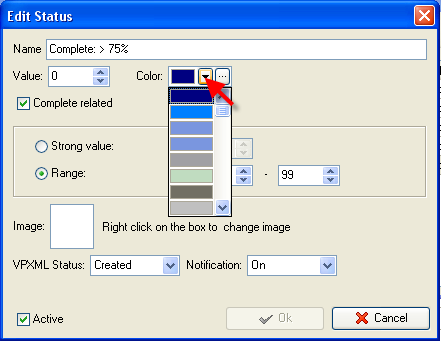
- If you need to change the color of tasks name on your to do list please select color in “Color” field
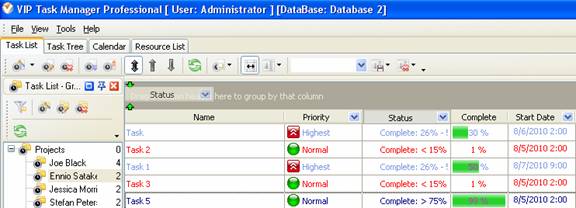
- To group tasks by Status, i.e. Percentage Range please open Task List tab and drag and drop column Status to the top of to do list


|
 |
Skype

Available: Workdays, Monday - Friday
8 am - 8 pm GMT for Europe/Asia
1 am - 1 pm PST for America
|
|
 |
| |
Feb 1, 2016
TopTenReview: VIP Organizer is one of the best organizer software
TopTenReview has published Organizer Software Review 2016 and our product has been included to the list of the best software programs for personal information management. The author considers VIP Organizer to be a good choice if you are looking for something simple to help you organize your days.
More News
|
|
| |
|













 Try Travel Bundle FREE


