|
How to create custom fields "Cost per Hour" and "Total Cost" with formulas
Custom field "cost per hour" allows users to calculate total cost of tasks and projects. If cost per hour is different for each employee, please, follow the instructions below:
|
|
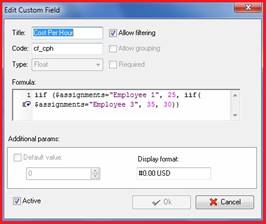
Create a custom field "Cost Per Hour":
- Go to Tools/Custom Fields
- In "Title" field enter "Cost Per Hour"
- In "Code" field enter "cf_cph"
- In "Type" select Float
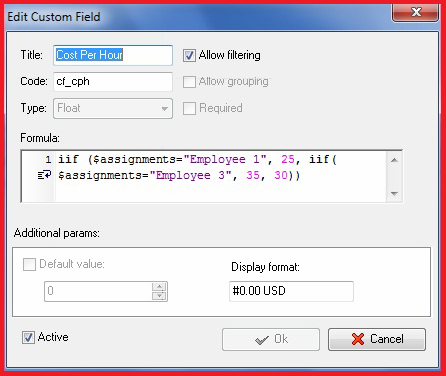
- In "Formula" field enter the formula shown here:
- Click "Ok"
|
 |
|
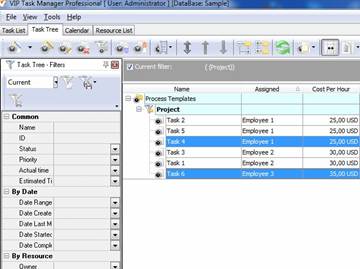
2. Display the custom field "Cost Per Hour" on Task List or Task Tree view
|
On Task List
- Right click on any column header
- Select Field Chooser
- Drag'n'Drop custom field "Cost Per Hour" to required position
On Task Tree
- Right click on any column header
- Select Task Tree Columns
- Check custom field "Cost Per Hour"
|
 |
|
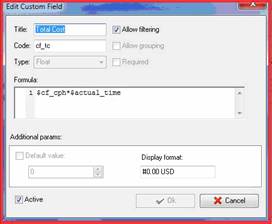
3. Create custom field "Total Cost":
- In "Title" field enter "Total Cost"
- In "Type" select Float
- In "Code" field enter "cf_tc"
- In "Formula" field enter the formula shown here:
- Click "Ok"
|  |
|
4. Display the custom field "Cost Per Hour" on Task List or Task Tree view the same way
|














 Try Travel Bundle FREE


