Task management software for group collaboration
 
HomeDownloadSupportPurchase
 
SupportFAQForumHelpdeskCompanyContact Us

How to calculate the percentage of actual task performance

How to calculate the percentage of actual task performance
   
Home  » Support  » Frequently Asked Questions (FAQ)  » How to calculate the percentage of actual task performance

How to calculate the percentage of actual task performance

To create the custom field for calculating the percentage of time a resource will work on a given task please follow the steps below:

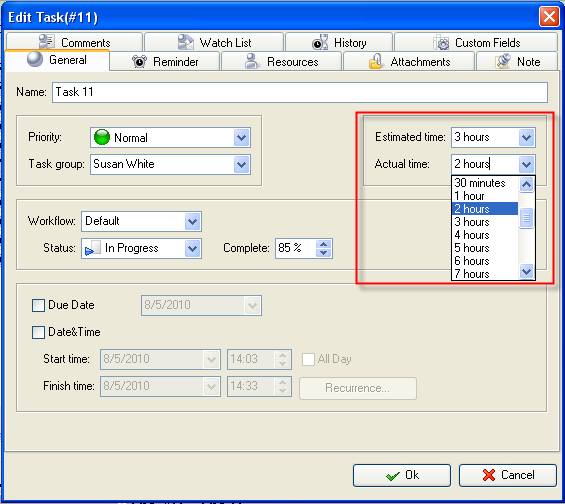
  1. Set Estimated and Actual Time for tasks
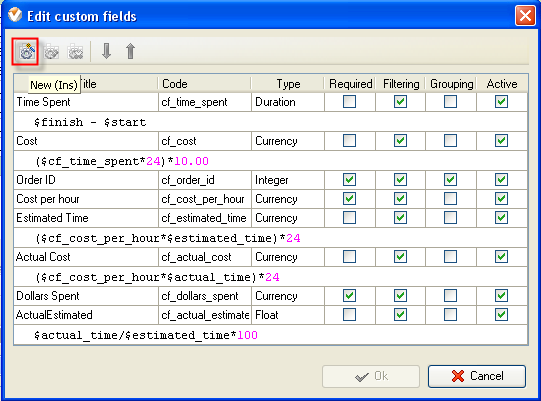
2. Go to Tools/Custom fields and click “New” button
3. In 'Title' field enter the title for this custom field, for example, Actual/Estimated
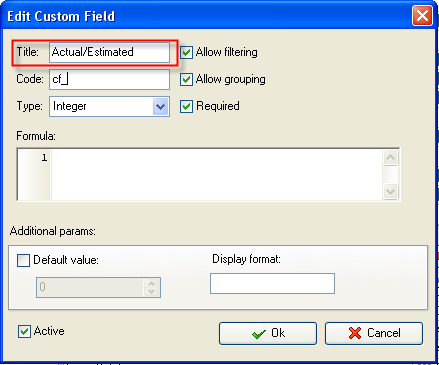
4. In ‘Code’ field enter “cf_actual_estimated”
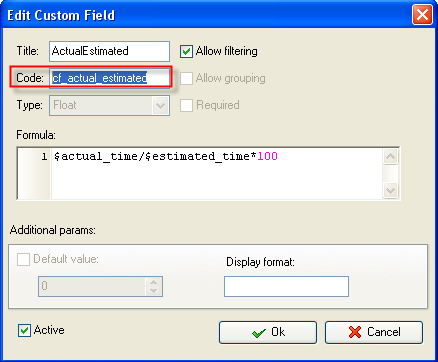
5. In “Type” field select 'Float'
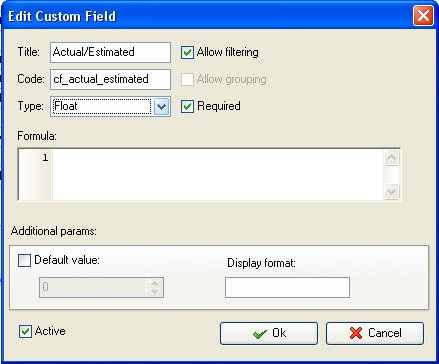
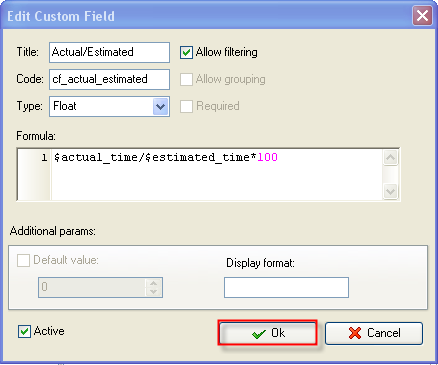
6. In 'Formula' field enter the following formula and click “Ok”:

$actual_time/$estimated_time*100
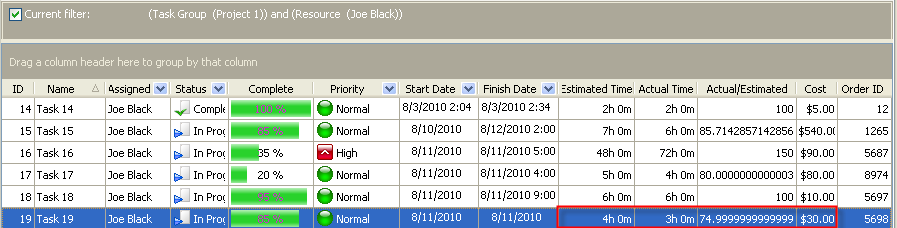
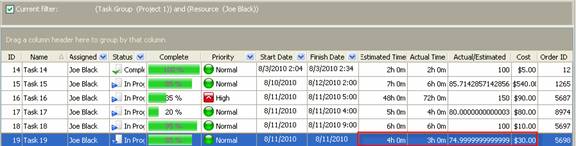
For example, if you set Estimated Time 4 hours and Actual Time 3 hours for certain task, the percentage of time a resource worked on a given task will be calculated as 74.9 %

3 hours (Actual Time) / 4 hours (Estimated Time) = 74.9 %


Available: Workdays, Monday - Friday
8 am - 8 pm GMT for Europe/Asia
1 am - 1 pm PST for America


Skype

My status

Available: Workdays, Monday - Friday
8 am - 8 pm GMT for Europe/Asia
1 am - 1 pm PST for America


Jan 6, 2012 For three years on end our product is one of the best scheduling software
2012 Scheduling Software Review comes with the following verdict: VIP Task Manager Professional is “a great application for keeping track of personnel…”

More News


Login:
Password:
Register
Forgot your password?
Login As:
Login As
You can log in if you are registered at one of these services:

ProductsSolutionsDownloadSupportPurchaseContactsForumVideoMy Account
Copyright 2011 Task Management Software


Site Map