|
Here are the instructions to access the database directly through the Internet:
1. On "Server" computer
- Install "Server Installation Only" or "Full installation" on computer with Static (Outer) IP Address
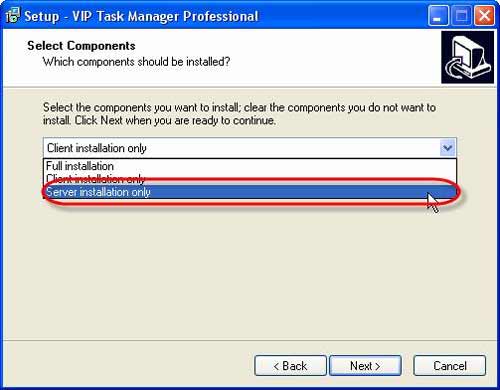
OR
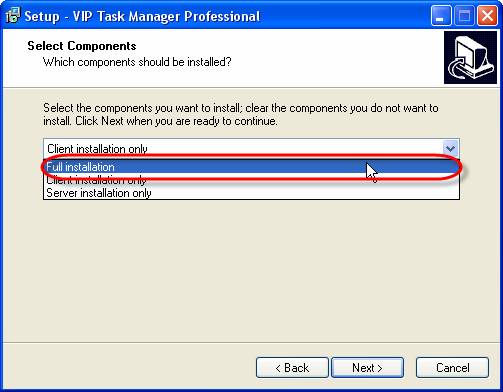
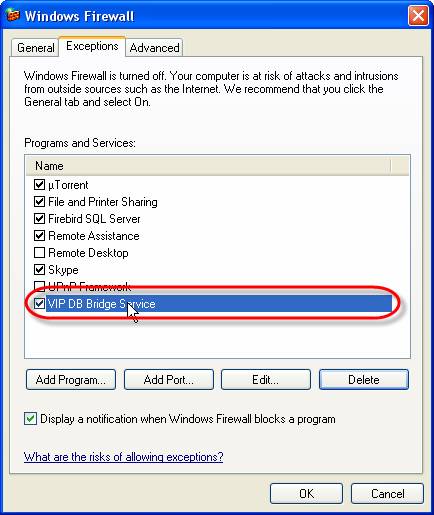
- Make sure port 6725 is not closed to our application by your Firewall (go to Start/Control Panel/Windows Firewall and select "Exceptions" tab).
2. On "Remote" computer
- Install "Client Installation Only" on remote computer
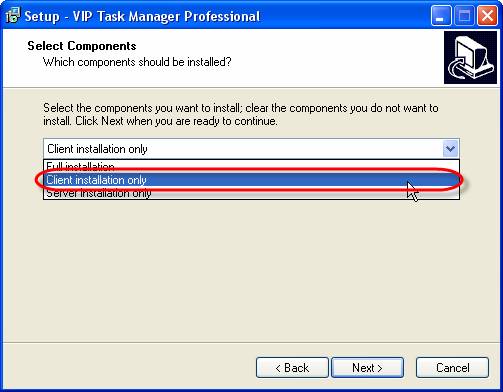
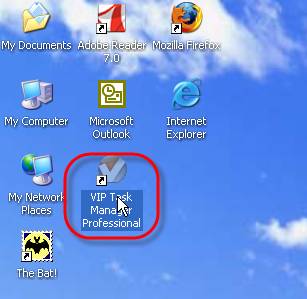
- Start the application
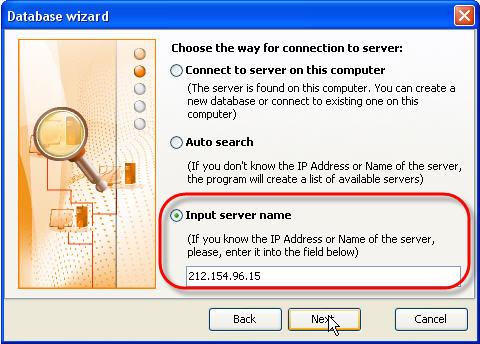
- When connecting to server select 'Input server name' option and enter Static (Outer) IP Address of the server computer
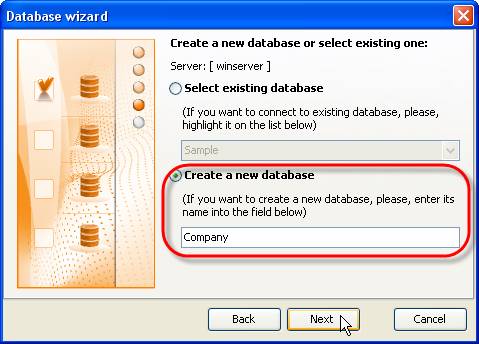
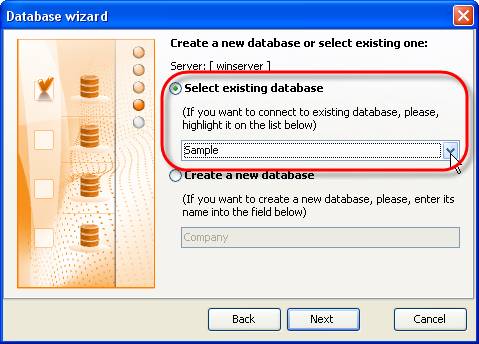
- Create a new database or connect to existing one
OR


|
 |
Skype

Available: Workdays, Monday - Friday
8 am - 8 pm GMT for Europe/Asia
1 am - 1 pm PST for America
|
|
 |
| |
Feb 1, 2016
TopTenReview: VIP Organizer is one of the best organizer software
TopTenReview has published Organizer Software Review 2016 and our product has been included to the list of the best software programs for personal information management. The author considers VIP Organizer to be a good choice if you are looking for something simple to help you organize your days.
More News
|
|
| |
|













 Try Travel Bundle FREE


