|
There are several ways to print out Resource List view.
-
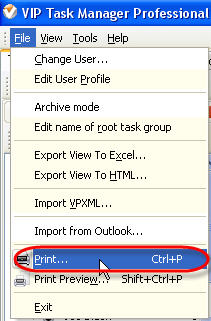
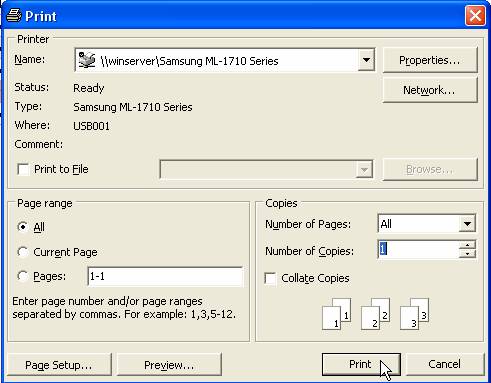
Select main menu command [File -> Print:], enter print settings in "Print" dialog and click on "Print" button.

-
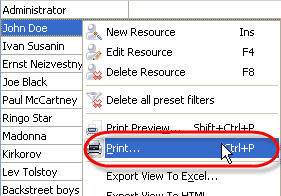
Right click on Resource List grid and select " Print: " from drop-down list , enter print settings in "Print" dialog and click on "Print" button.
- Press "Ctrl + P" keys.
You can preview Resource List view, create your own print design using several ways:
-
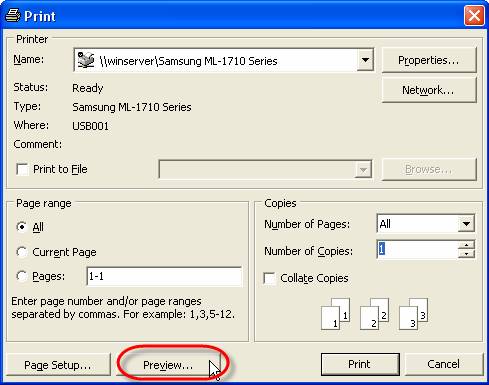
Select main menu command [File -> Print:], click on "Preview:" button in "Print" dialog.
- Select main menu command [File -> Print Preview:].
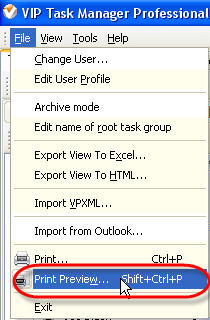
- Press "Shift + Ctrl + P" keys.
-
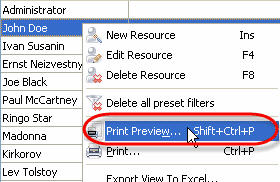
Right click on Resource List grid and select " Print Preview: " from drop-down list .
To create your own print design use How to work with print Preview Window
|












 Play Demo
 Try It FREE