Task management software for group collaboration
 
HomeDownloadSupportPurchase
 
OverviewFeaturesScreenshotsAwardsVersion HistoryTutorialsOnline Help

User Manual - How to create a role

User Manual - How to create a role
   
Home  » Products  » VIP Task Manager Pro  » On line Help  » User Manual - How to create a role

There are several ways to create a new role.

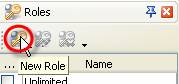
  1. Click on "New Role" button on Roles Panel toolbar.
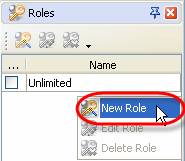
  2. Right click on Roles Panel grid and select "New Role" from drop-down list
  3. Double click on Roles Panel grid
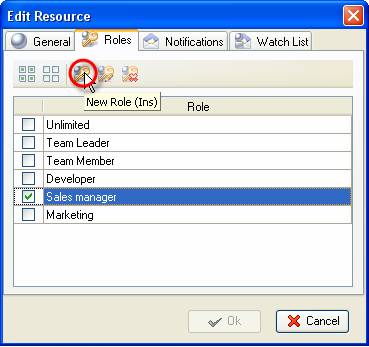
  4. In "New Resource" or "Edit Resource" dialog select Roles tab and click on "New Role" button or press "Ins" key

Play demo Play Demo

TryTry It FREE
Overview VIP Task Manager

» VIP Task Manager Pro
   VIP Task Manager Std
   Testimonials
   Turnkey Solution

Available: Workdays, Monday - Friday
8 am - 8 pm GMT for Europe/Asia
1 am - 1 pm PST for America


Resource List

Jan 6, 2012 For three years on end our product is one of the best scheduling software
2012 Scheduling Software Review comes with the following verdict: VIP Task Manager Professional is “a great application for keeping track of personnel…”

More News


Login:
Password:
Register
Forgot your password?
Login As:
Login As
You can log in if you are registered at one of these services:

ProductsSolutionsDownloadSupportPurchaseContactsForumVideoMy Account
Copyright 2011 Task Management Software


Site Map